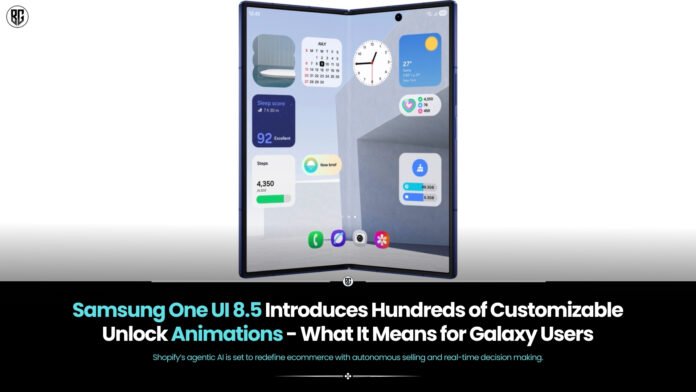
Make your Galaxy unlock feel… yours.
Samsung quietly pushed a small but delightful change to its Good Lock LockStar module this week: if you’re on the One UI 8.5 beta, you can now pick from hundreds of new unlock/lock transition animations and tweak how your Always On Display (AOD) behaves while you’re at it. It’s the kind of cosmetic upgrade that won’t change benchmarks but will make unlocking your phone feel like a tiny, repeatable pleasure.
What’s new the short version
- Custom unlock animations: LockStar (version 8.5.00.8) adds a menu of unlock/lock transition effects you can choose from, so the swipe or face/unlock action can now play different visual transitions. These are available to devices running One UI 8.5 (currently in beta on Galaxy S25 series).
- Manual AOD brightness control: You can override automatic AOD dimming in certain situations useful if you prefer a brighter always-on screen or want to dial it down for battery savings.
- Beta-only for now: These features are live for people enrolled in the One UI 8.5 beta program; expect a broader rollout when One UI 8.5 reaches stable channels.
Why it matters (beyond the sparkle)
Samsung has long differentiated Galaxy phones with software polish and customization. Good Lock is where power users go when they want to make the UI truly their own, and LockStar controls lock-screen looks and behaviours. Bringing hundreds of animation choices does three things:
- Personalisation at scale. Instead of “on/off” for effects, you can choose an animation that matches your taste – subtle, dramatic, glassy, bouncy – whatever fits your vibe that day.
- Design continuity. With Samsung pushing more visual refinement in One UI 8.x, these micro-interactions help the OS feel cohesive and premium.
- Little UX wins. Small, repeatable moments – like unlock animations – shape daily impressions of a device. A polished animation can feel faster and nicer even if the underlying speed hasn’t changed.
Who can try it today
If you have a Galaxy S25 enrolled in the One UI 8.5 beta, you should see the updated LockStar (v8.5.00.8) in the Galaxy Store or Good Lock suite. Wider availability will follow when One UI 8.5 moves out of beta and into the stable channel for more Galaxy devices (Galaxy S26 is expected to ship with One UI 8.5).
How to enable the new unlock animations (quick guide)
- Join the One UI 8.5 beta (if you’re comfortable with pre-release software).
- Open Galaxy Store → search Good Lock → install/launch LockStar.
- Update LockStar so it’s the latest (the changelog should show the new unlock animation option).
- Inside LockStar look for Unlock Animation (or Lock/Unlock effects) and pick your favourite.
- Optionally, find AOD brightness controls in LockStar to tweak Always On Display behaviour.
(Exact menu names may vary slightly by build; check Good Lock’s changelog if you don’t see the options immediately.)
Caveats & tips
- Battery & performance: Fancy animations are usually lightweight, but very elaborate transitions could have a tiny impact on battery or perceived responsiveness. If you value absolute speed or battery life, pick subtler effects.
- Beta quirks: This is a beta feature – expect some rough edges and possible tweaks before stable release. Back up important data before enrolment.
- Availability: Not every Galaxy model will get the feature at once. Samsung typically stages rollouts by flagship and region.
If you love personalising your phone and enjoy thoughtful polish, One UI 8.5’s LockStar update is a charming upgrade: hundreds of unlock animations and finer AOD control let your Galaxy feel more yours – one unlock at a time. If you’re not a beta-tinkerer, expect these options to reach stable builds in the months ahead as One UI 8.5 expands beyond early testers.
FAQ’s
What are unlock animations in One UI 8.5?
Unlock animations are visual transition effects that play when you unlock your Galaxy phone using fingerprint, face unlock, or swipe.
How many unlock animations does One UI 8.5 offer?
One UI 8.5 introduces hundreds of animation variations, allowing users to choose styles that match their theme and wallpaper.
Can users customize unlock animation speed?
Yes, Samsung allows users to adjust animation speed and transition behavior for a smoother or faster feel.
Do unlock animations affect phone performance?
No. Samsung optimizes these animations to be lightweight, ensuring smooth performance without battery or speed impact.
Will older Galaxy phones get One UI 8.5?
Select older models may receive the update, depending on Samsung’s software support policy and hardware capability.
Found this article interesting? Follow BG on Facebook, Twitter and Instagram to read more exclusive content we post.